Showing posts with label Windows8. Show all posts

Friday, 1 March 2013

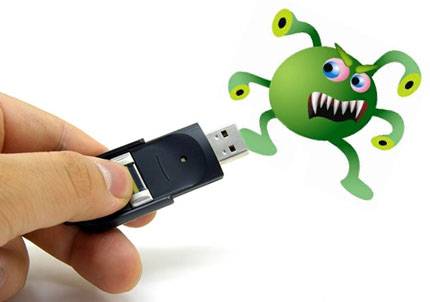
Recover Hidden Files From Virus Infected Pendrive (Using CMD)


Pendrives are currently the best way to transfer data between two computers. Using pendrives is very easy, just plug it into your computer and transfer your files. You can also hide your important files very easily in windows.
To Hide Your Files/Folders -
  1. Right Click On The File
  2. Go to Properties.
  3. Select the General Tab.
  4. Check Mark the Hidden option.
  5. Click Ok.
To View Your Files Again -
  1. Go to Tools
  2. Click On Folder Options.
  3. Click on the View tab.
  4. Select Show Hidden Files And Folders.
  5. Click Ok.
But when your Pendrive gets infected with viruses, sometimes the Normal procedure to view the hidden files does not work. What then? The solution to that is what I am going to provide in this post. I am going to do this via CMD (Command Prompt)
Solution -
  1. Click on Start.
  2. Select Run.
  3. Type in cmd and hit Enter.
  4. Now go to My Computer and see the Drive Letter of your pendrive. Lets say it is D.
  5. Go back to cmd.
  6. Type In D: and hit Enter.
  7. Now type attrib -s -h /s /d *.* and press Enter.
  8. Wait for sometime then go back to the pendrive. There you go, all your files are again visible! :D
Have A Nice Day!

Download Free Windows 8 Crack | Windows 8 Manager 1.0.2 Full Crack

 
Windows 8 Manager is a system utility that helps you optimize, tweak, repair and clean up Windows 8. It will increase your system speed, eliminate system fault, improve system security, and meet all of your expectations.Windows 8 Manager is a system utility that helps you optimize, tweak, repair and clean up Windows 8. It will increase your system speed, eliminate system fault, improve system security, and meet all of your expectations.


Features:

- Shows detailed information about all components of the computer hardware, the user's system, and office products;
- Displays running processes and open streams;
- Has the option to optimize and adjust the settings of Windows;
- Has a built-in modules for cleaning the registry, hard drive and so on;
- Increases the speed of loading and off the computer;
- Allows you to increase the speed of running multimedia programs;
- Set the network connection;
- Allows you to adjust the appearance of the interface and some features of desktop management, menus, services and agencies, Internet Explorer, etc.

Changes in 1.0.2:

  • Process Manager updated to v1.2
  • Add some tweaks
  • System Information updated to v1.1
  • Privacy Protector updated to v1.2
  • Visual Customizer updated to v1.1, you can add the Bing Dynamic Theme.
  • Junk File Cleaner updated to v1.2
  • JumpList Quick Launcher updated to v1.1
  • WinX Menu Editor updated to v1.1
  • Registry Cleaner updated to v1.1
  • 1-Click Cleaner updated to v1.1
  • Run Shortcut Creator updated to v1.1

Thursday, 1 December 2011

How to Recover Passwords from Web Browsers

Web Browser PassView is a small, portable and freeware utility designed to recover passwords from:

  • Internet Explorer (Version 4.0 – 9.0)

  • Mozilla Firefox (All Versions)

  • Google Chrome

  • Opera
Once WebBrowserPassView has gathered all the passwords from the various browsers, it displays them in a single table with the URL the password was saved for, what browser it was saved in and of course the username and password.


From there, you can save it as a TXT file, export the table as HTML and more. This product was created by Nirsoft and in true Nirsoft fashion, the application is very easy to incorporate into scripts due to its excellent command line support.

This utility works on any version of Windows, starting from Windows 2000, and up to Windows 7, including 64-bit systems.

Note: Due to the hacking/password revealing nature of this application. Some antivirus products will detect it as malware or a hacking tool. You can view the VirusTotal.com report here.


Screenshots:


Downloads:

Download – 204kb

Wednesday, 9 November 2011

Windows 8 Free Download


Windows 8 Developer Preview Free Download English, 64-bit (x64)

Windows 8 Free Download Developer Preview English, 64-bit (x64)


Includes a disk image file (.iso) to install the Windows 8 Developer Preview and Metro style apps on a 64-bit PC.

Note: This download does not include developer tools. You must download the Windows 8 Developer Preview with developer tools 64-bit (x64) to build Metro style apps.


The Windows 8 Developer Preview is a pre-beta version of Windows 8 for developers. These downloads include prerelease software that may change without notice. The software is provided as is, and you bear the risk of using it. It may not be stable, operate correctly or work the way the final version of the software will. It should not be used in a production environment. The features and functionality in the prerelease software may not appear in the final version. Some product features and functionality may require advanced or additional hardware, or installation of other software.

Note: You can't uninstall the Windows 8 Developer Preview. To go back to your previous operating system, you must reinstall it from restore or installation media.

Download  3.8 GB

Tuesday, 1 November 2011

How to Get windows8 look on windows7


Do you getting very Bored about windows 7 Look?  Wanna try Windows 8?

Here is the way to change windows 8 from Windows 7.. No need to Install Windows 8 OS

Download the Windows 8 Skin pack here and Install it.